Portrait lighting patterns
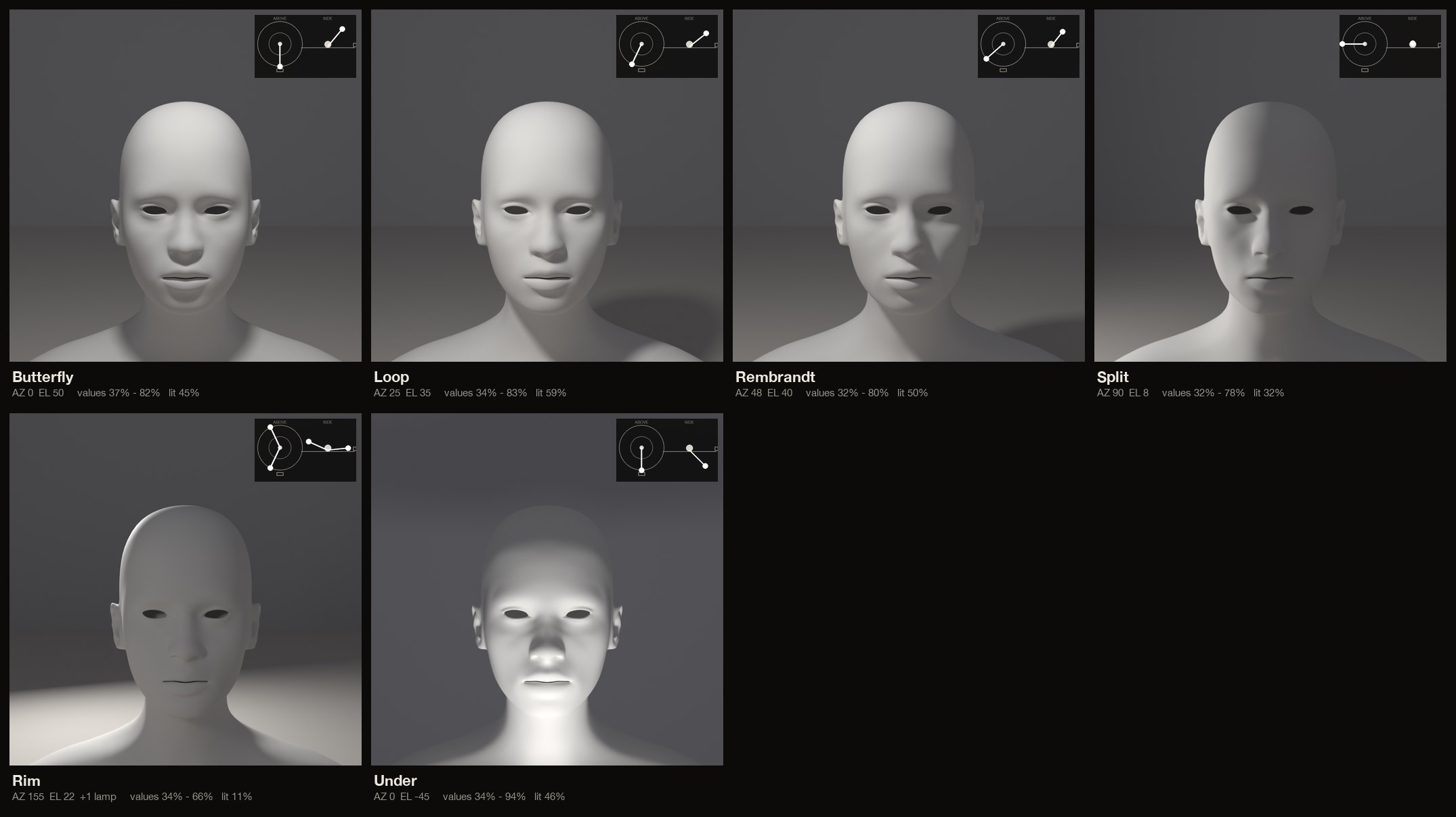
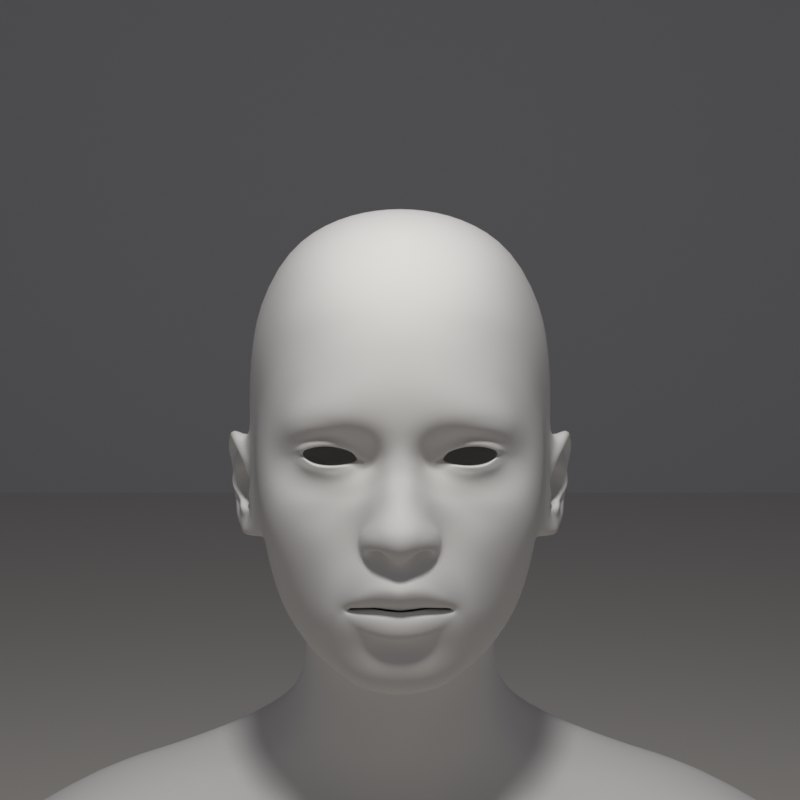
Portrait photographers and painters name a handful of lighting set-ups by the shadow they leave on the face. Butterfly puts a small shadow under the nose from a lamp straight ahead and above.
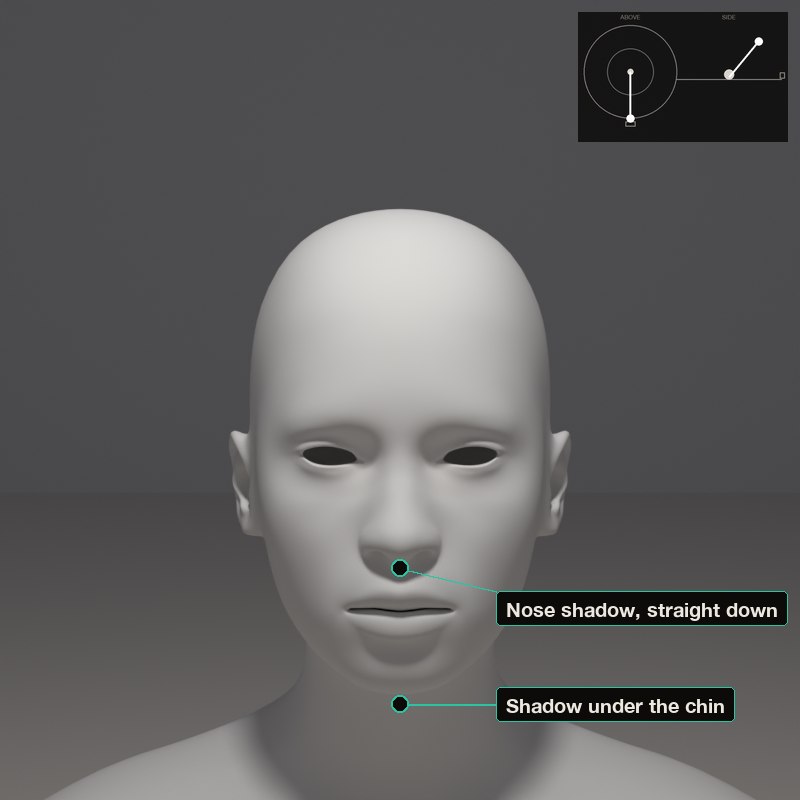
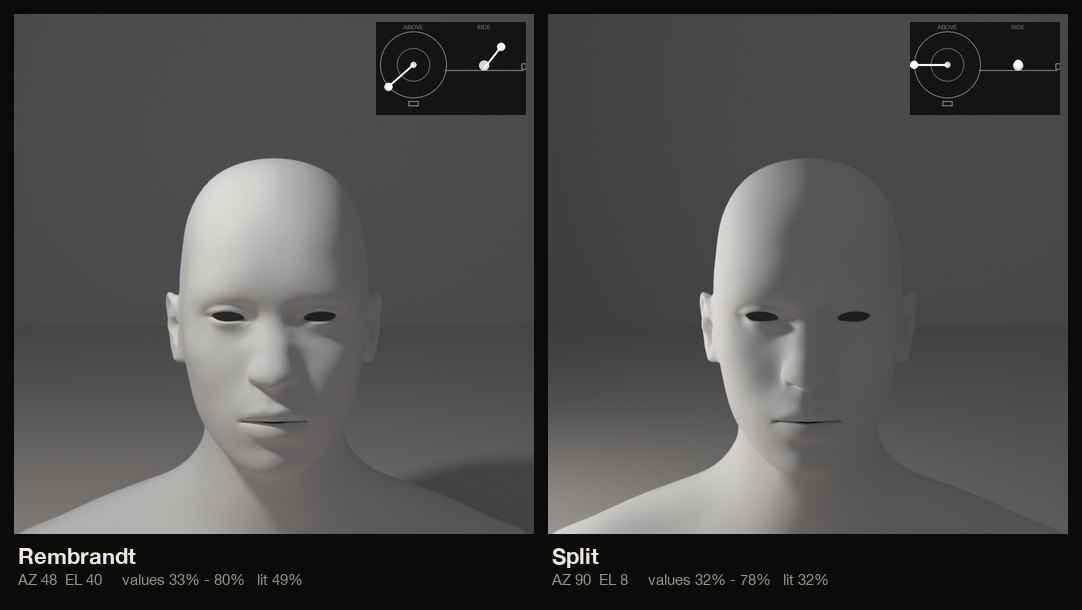
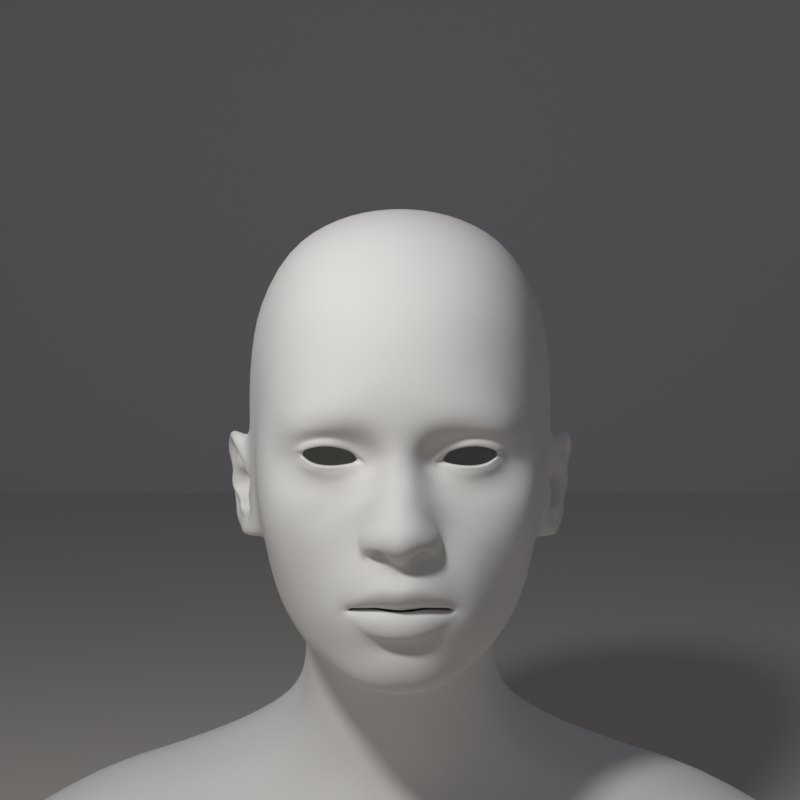
Loop moves the lamp a little to the side so the nose shadow loops toward the cheek. Rembrandt lights the far cheek with a small triangle of light under the eye.
Where the nose shadow and the cheek light fall in each pattern, seen from the camera.
Split lights exactly half the face. Rim lights only the edge from behind. Under-lighting, from below, reads as unnatural.
What to look for
Butterfly: a small shadow directly under the nose, a shadow under the chin.
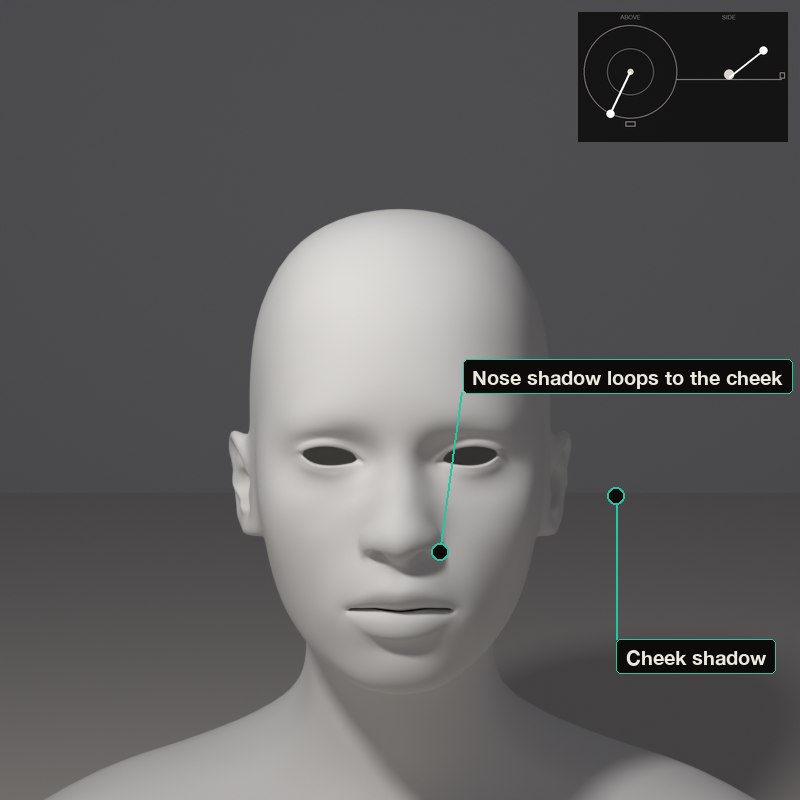
Loop: the nose shadow reaches toward the corner of the mouth but does not join the cheek shadow.
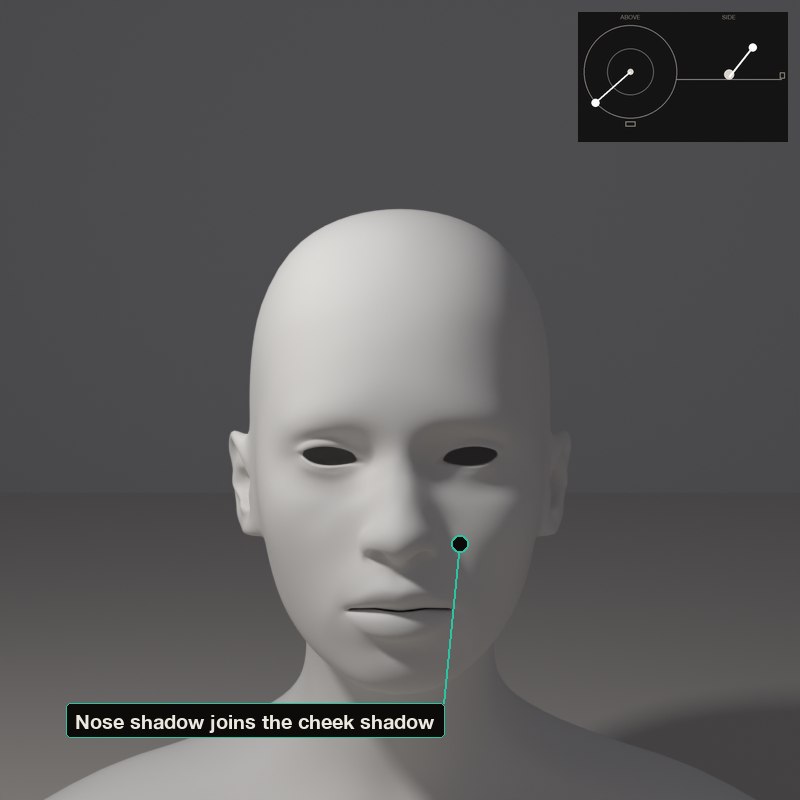
Rembrandt: the nose shadow and the cheek shadow join, leaving a small triangle of light on the shadowed cheek.
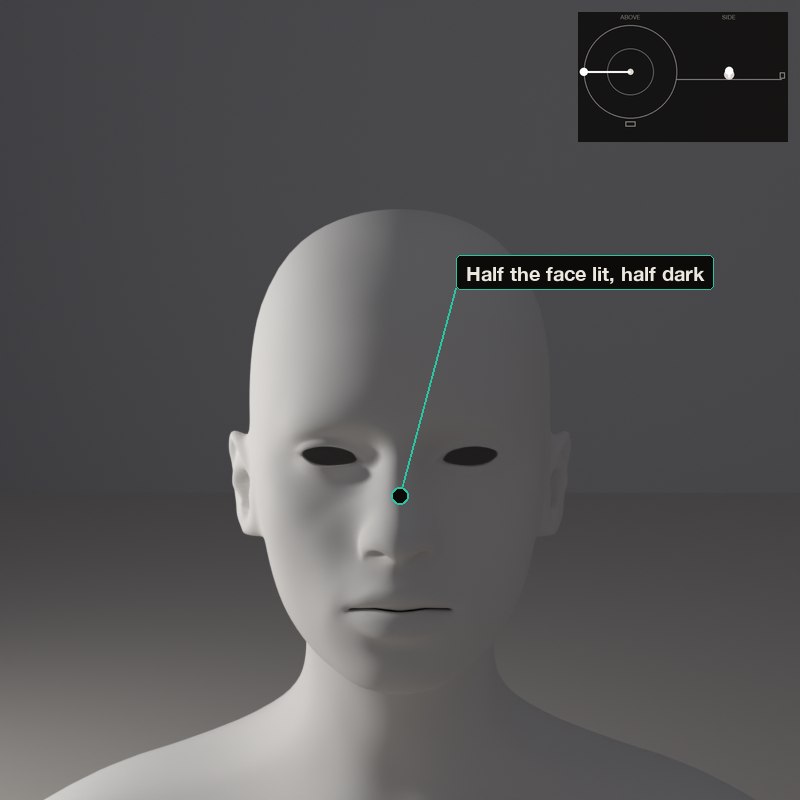
Split: the dividing line runs down the centre of the face, nose included.
Try the set-up buttons, then find the patterns yourself: butterfly, loop, Rembrandt, split. The text below names the one you have made.
The set-ups, with numbers
Each card is one lamp position: the picture it makes, a diagram of where the lamp stands (azimuth is measured from the camera: 0° is a lamp at the camera, positive turns it toward the picture’s left, 180° is straight behind; elevation is the angle above the table), and the values measured on the form itself.
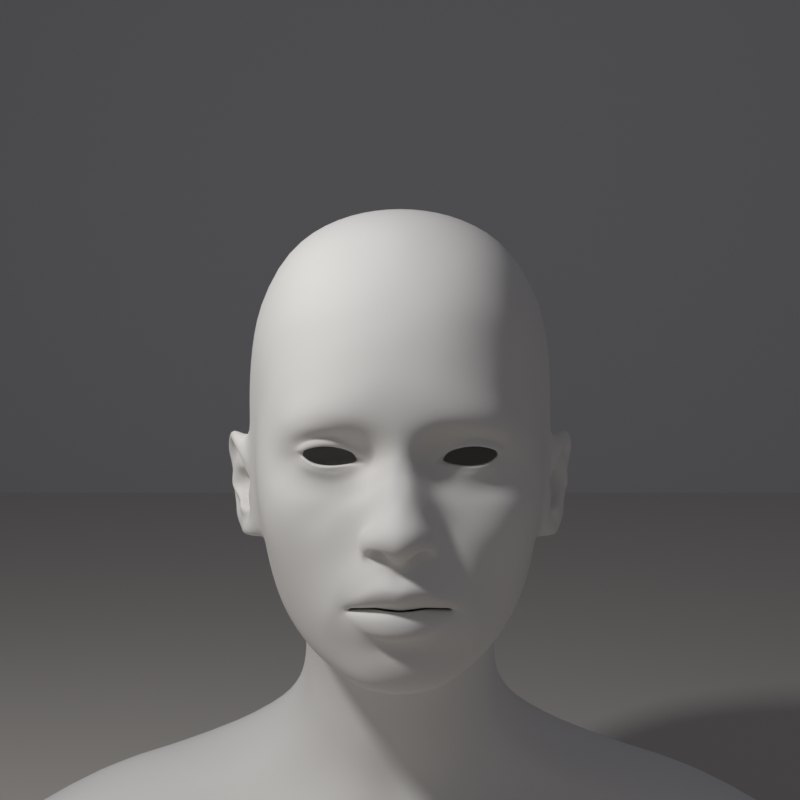
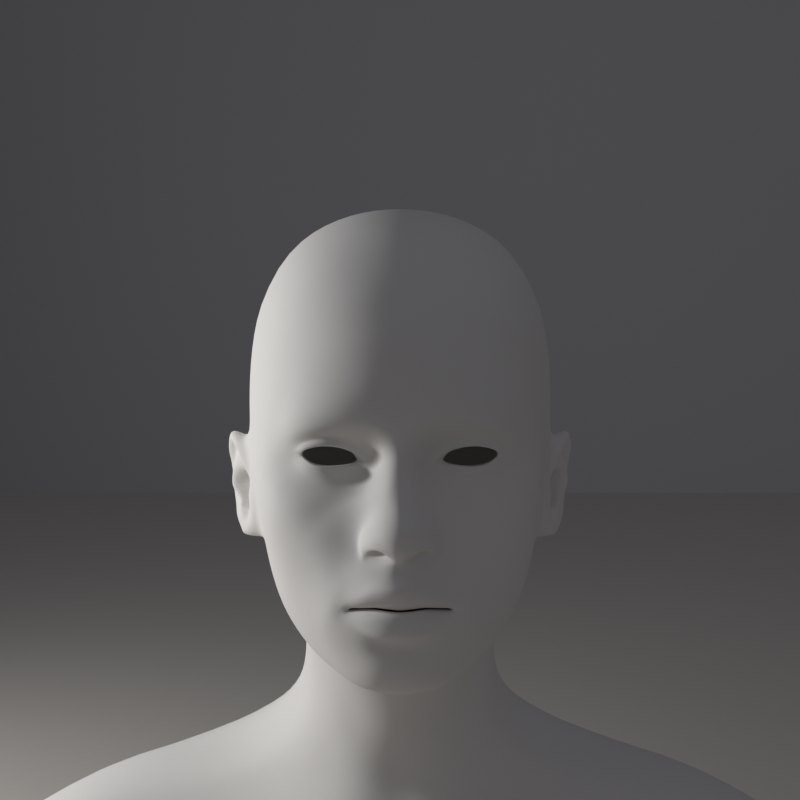
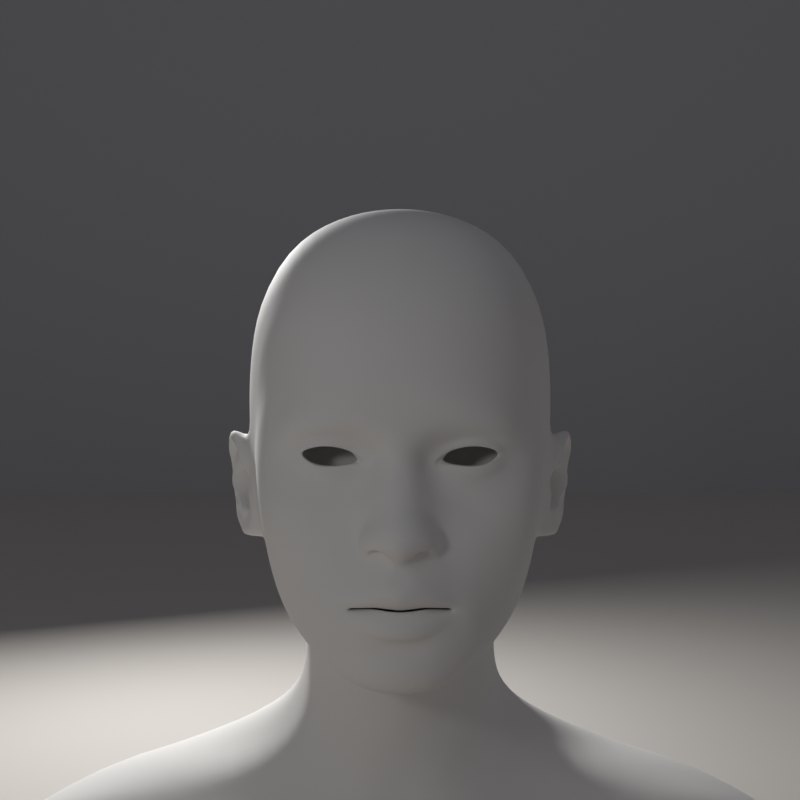
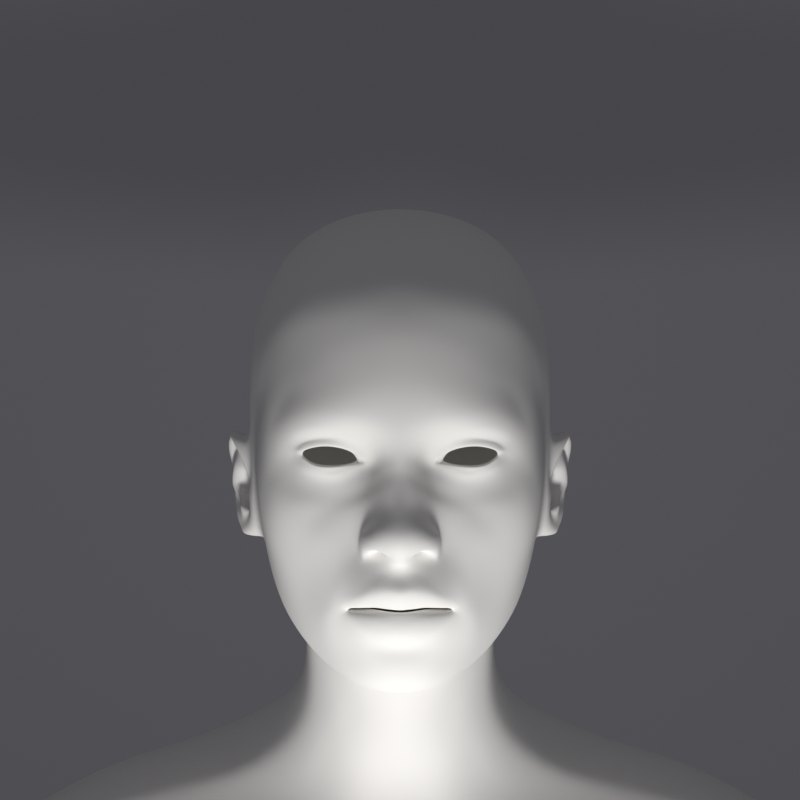
In painting and in photography
Rembrandt painted many portraits lit from one side with a small triangle of light on the shadow cheek, and that is why photographers named the pattern after him.
Loop and Rembrandt are the usual flattering patterns. Split is dramatic. Butterfly, also called Paramount, is associated with classic glamour portraits. Rim light separates the subject from the background.
Now youAcademy & Pro
Start with the preset buttons, then drag the lamp from Loop to Rembrandt and stop the moment the triangle of light appears under the eye. Turn the bust with the Turntable slider to see how a turned head changes the pattern.
Open this lesson in the Light Study Room
The room opens with the shape and the first set-up already loaded, and the same diagram you see here follows your lamp as you move it. Drag the lamp’s marker on the picture, or move it on the pad, and switch between Picture, Light only, Surface and Shadow. Or open it from inside the studio: the Study button in the bottom bar, then Academy lessons. The Light Study Room is a separate classroom for learning light on 3D shapes; when you are ready, “Send to studio” takes the shape into the main editor.
Exercises
- Create the Rembrandt triangle, then move the lamp 10 degrees in each direction. When does the triangle break?
- Start at Butterfly and move the lamp to the side in small steps until it becomes Loop, then Split.
- Light the male bust with the same six patterns. What does the bigger jaw change?