The four basic forms
Every object you will ever paint or photograph is built from four forms: the sphere, the cube, the cylinder and the cone. Put one lamp on each and watch how the light reveals the form.
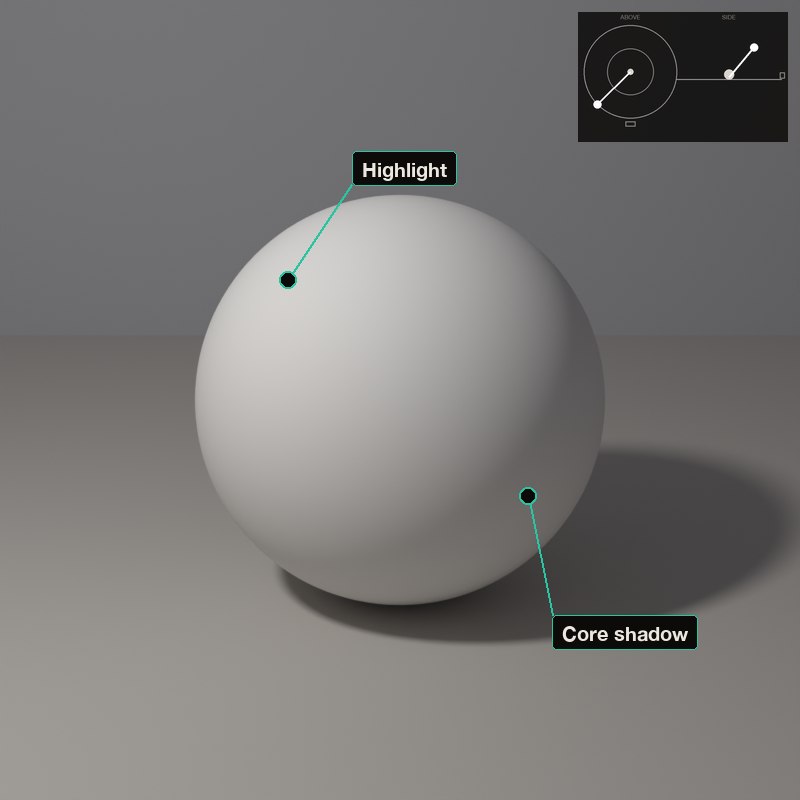
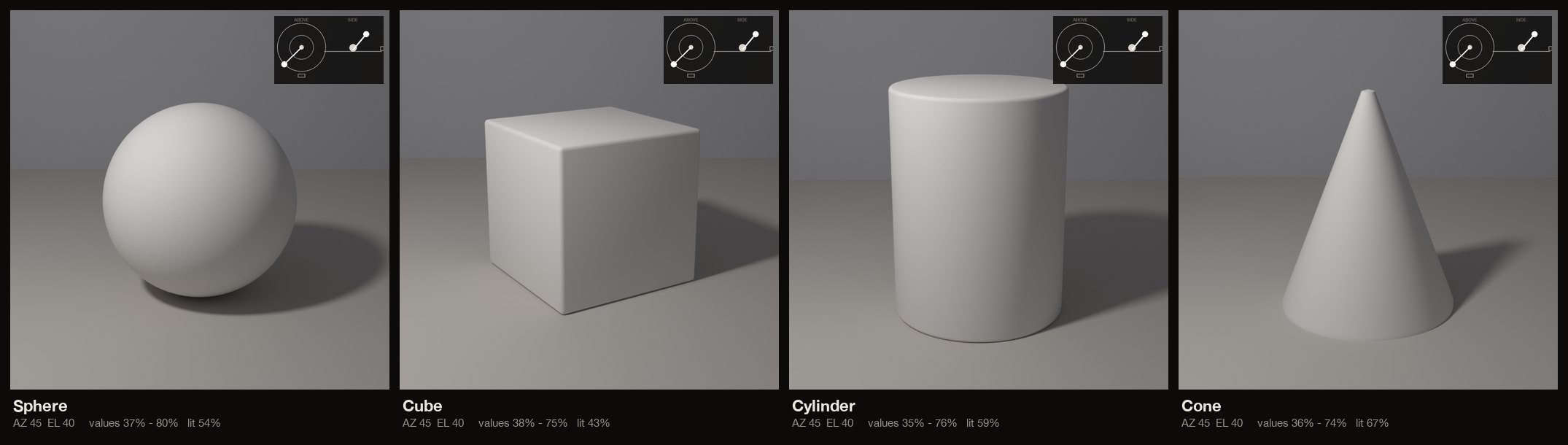
A sphere turns smoothly, so its light melts from bright to dark. A cube turns in sudden steps, so each flat face gets its own single tone.
Learn these four and you can read the light on anything.
What to look for
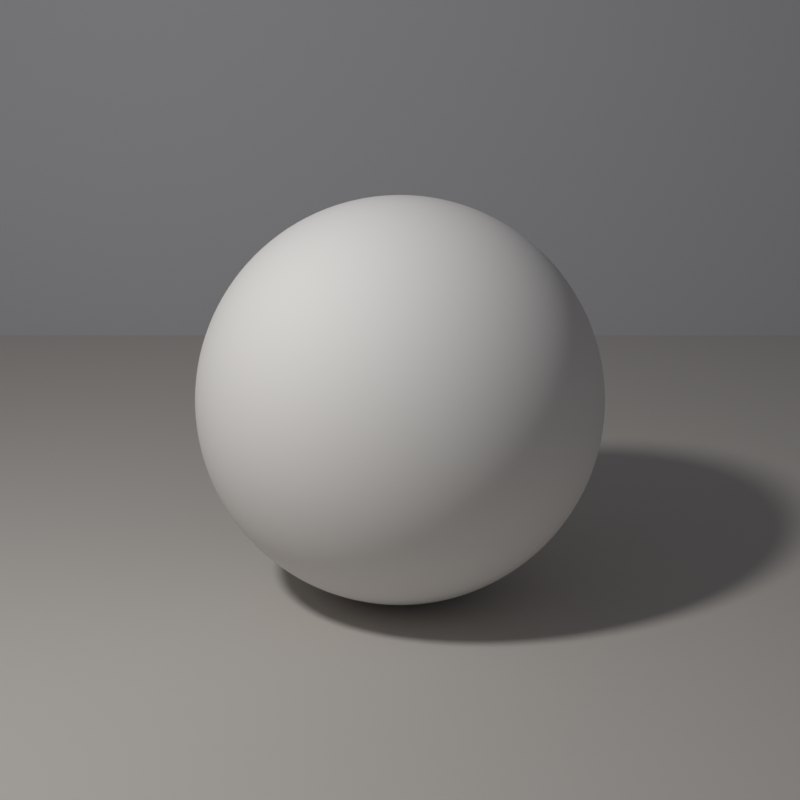
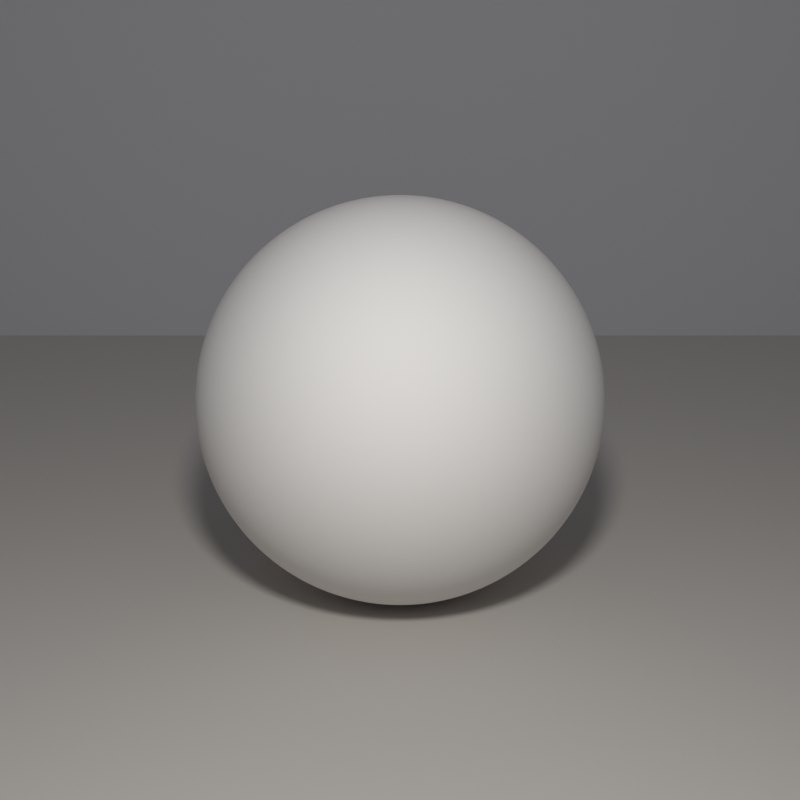
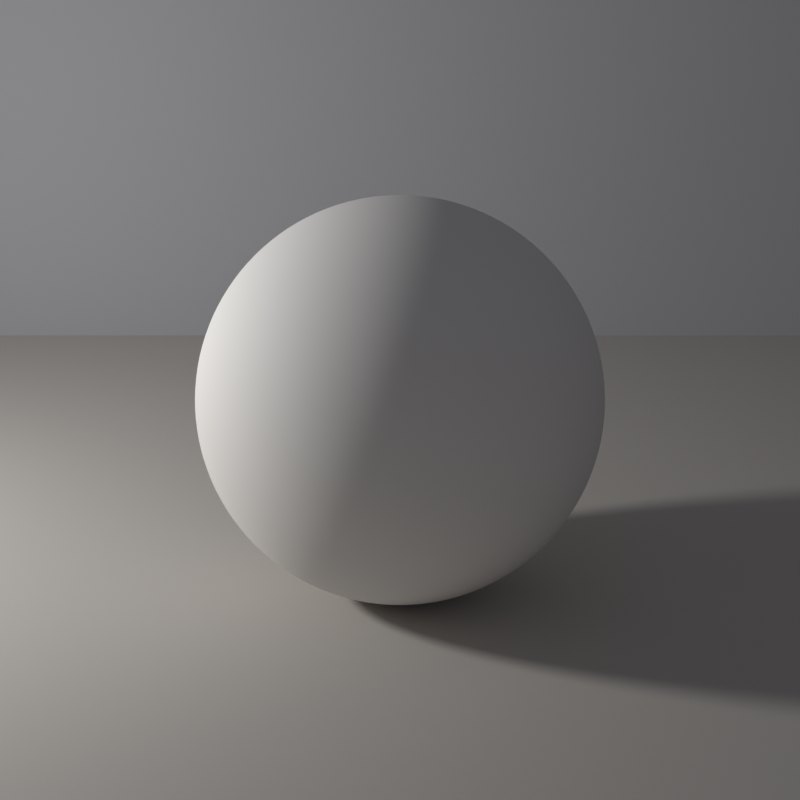
The sphere has no edges, so its tones blend in a smooth gradient with one bright spot.
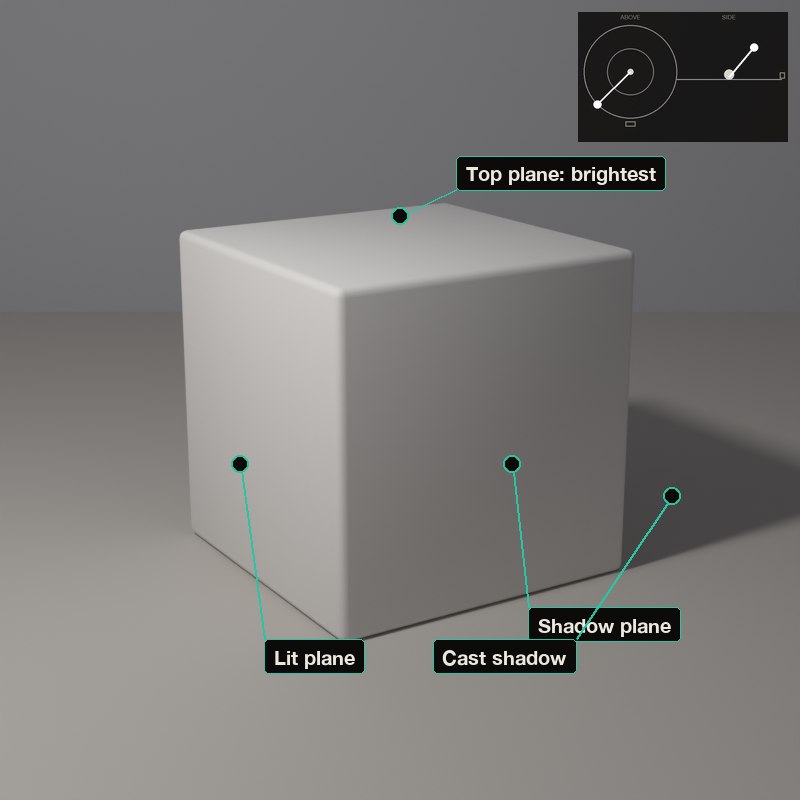
The cube has three visible planes and each is one even tone: top brightest, the lit side next, the far side darkest.
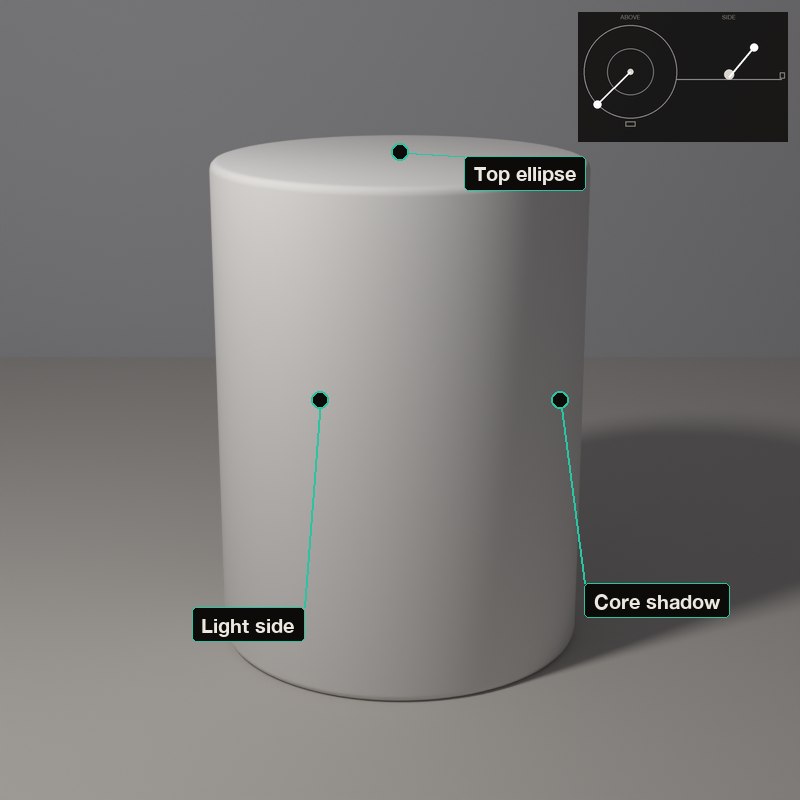
The cylinder is a gradient across its width but a flat band along its length.
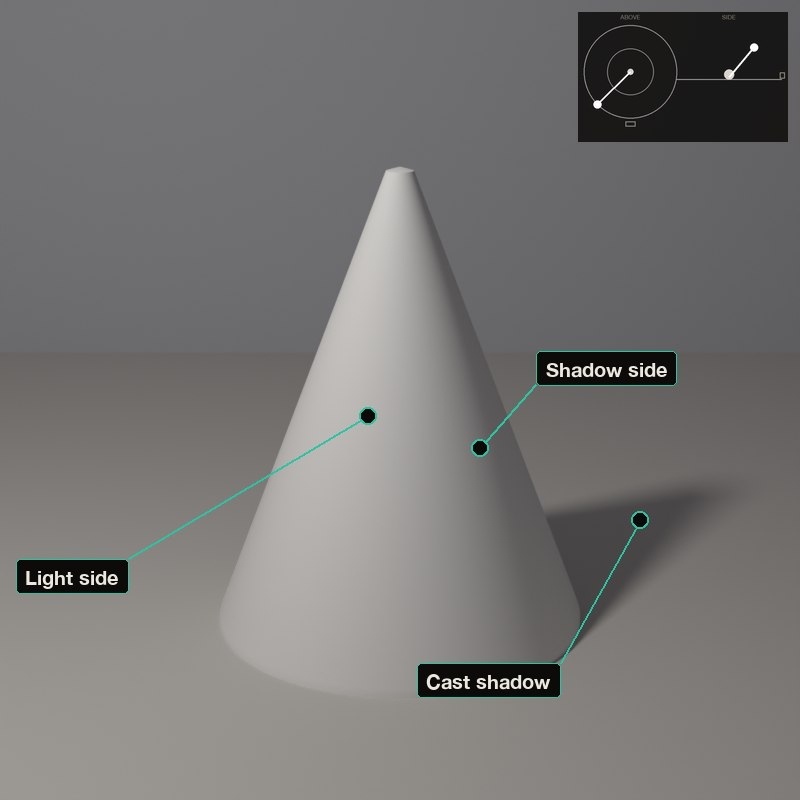
The cone mixes both: a gradient around it and a shadow that points to the tip.
Every subject is built from these four forms. Play here first: you learn where light falls on a form before you light the real thing.
The set-ups, with numbers
Each card is one lamp position: the picture it makes, a diagram of where the lamp stands (azimuth is measured from the camera: 0° is a lamp at the camera, positive turns it toward the picture’s left, 180° is straight behind; elevation is the angle above the table), and the values measured on the form itself.
In painting and in photography
Academic training has long begun with casts of simple solids. Reducing a complicated subject to sphere, cube, cylinder and cone is how a student learns to place values with confidence.
A photographer reads the same forms: a round face behaves like a sphere, a building like a cube. Choosing where the lamp goes starts with deciding which form you are lighting.
Now youAcademy & Pro
Select each form in the library (Basic forms). Keep one lamp and drag it slowly around: find where the cube's three planes become two, and where the sphere's brightest point sits.
Open this lesson in the Light Study Room
The room opens with the shape and the first set-up already loaded, and the same diagram you see here follows your lamp as you move it. Drag the lamp’s marker on the picture, or move it on the pad, and switch between Picture, Light only, Surface and Shadow. Or open it from inside the studio: the Study button in the bottom bar, then Academy lessons. The Light Study Room is a separate classroom for learning light on 3D shapes; when you are ready, “Send to studio” takes the shape into the main editor.
Exercises
- Draw the sphere, then the cube, with the lamp at 45 degrees. How many distinct tones does each need?
- Move the lamp until the cube shows only two faces. What changed on the sphere?
- Find the lamp position where the cylinder's cast shadow is a perfect rectangle.